

The Viggle AI Core – Motion Transfer and Character Animation Tool
Only a few years ago, it required a large number of artists, powerful software, and typically expensive motion-capture suits to make a character move in a realistic way. It could only be done by big Hollywood studios and big game companies. The silent revolution is going on today, with an unbelievably simple tool – Viggle AI.
You have seen how Viggle AI works. It is the viral TikTok trend – well-known cartoon characters dance flawlessly like real people. And animated memes with real people from movies and the Internet. That is what Viggle AI makes – you can turn any video into a meme or clip in a different style in a few seconds, thanks to a smart text prompt. Viggle AI has simplified the process of animation for all users and has become a genuine success.
Though it is more than a meme generator, since it conceals larger effects and options for teams. Viggle AI is a cutting-edge technology that can transform not only social media but also games, movies, and digital media.
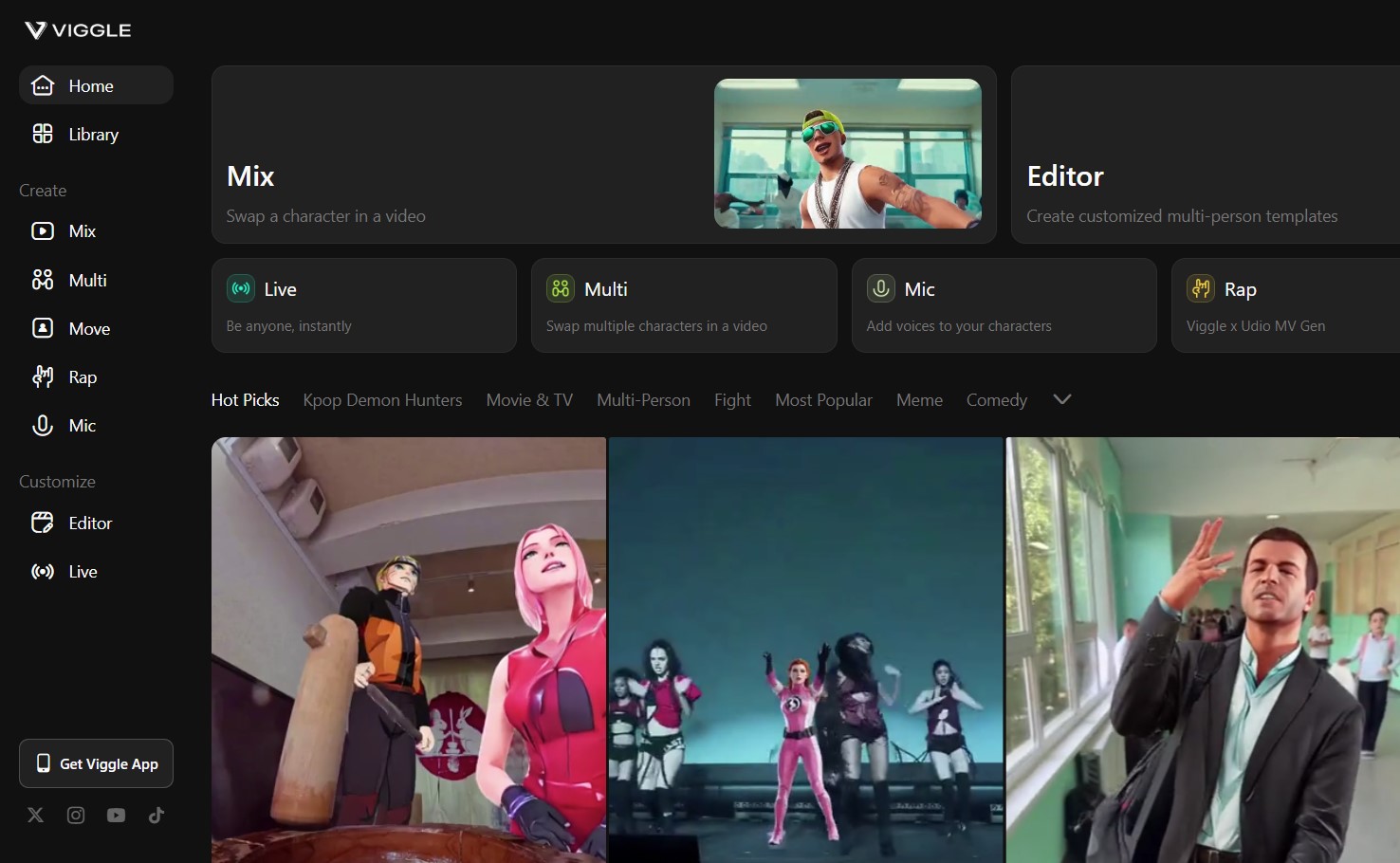
The Viggle AI Features
When it comes to essentials, Viggle AI is a motion transfer and character animation tool. It’s powered by a sophisticated model called JST-1. It is the first of its kind to truly understand physics in a video/3D context.
Viggle is not a filter or face swap. It views a video of someone on the move, extracts the bones and body data, and then applies that movement to any picture or character model you provide it with. The outcome is usually a very realistic animated character that is smoother.
Viggle AI offers multiple apps and services in one tool:
- Motion Transfer. This is the primary feature. You provide the AI with an image and a motion video, and it moves the image in a manner that is similar to the video. The AI considers the concepts of gravity, inertia, and weight, and the animated video or character with motion capture appears realistic. Viggle AI differs from services like Sora or Luma AI since it doesn’t create new videos from scratch; it needs a visual reference.
- Fine-Tuning and Control. This option allows you to tweak things that you would not anticipate from a mere tool. You can adjust the amount of movement, the direction the body follows, and even the camera angle to achieve the desired effect. As an example, when Viggle AI commits a minor error in a hand gesture, you can adjust it rather than record another video.
- Direct Character Animation. You do not necessarily have to have a reference video. Viggle AI brings a character to life based on a brief text prompt. All you need to do is post a picture and type a textual prompt, such as “a pirate with a parrot on his shoulder walking on a boat deck”.
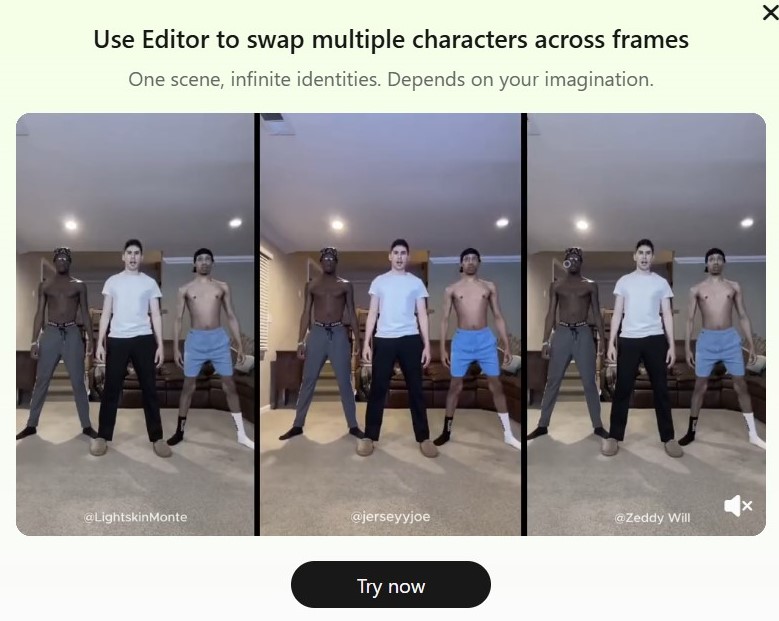
- Multi-Character Generation. This will allow you to animate more than a single character within the same video. The interaction of characters is a problem with most tools. Viggle can retain its choreography and positions and substitute them with the images you prefer.
- Lip-, Audio-Integration. Viggle AI also generates realistic lip movements. Take a still picture, add audio (or plain text), and it will create a video of the character speaking or singing. Works well with explainer videos, vlogs, or songs.
- Rapid Prototyping. Developers are able to test game concepts by creating rough character moves using a reference video. They are able to have a working animation within minutes as opposed to days.
- Fill the Gaps. In the case of indie developers, Viggle AI can generate a large number of small animations, idle poses, celebratory dances, background character motions, etc.
- Player-Created Content. In the future, the players might be able to create their own emotes or dance moves in Viggle and have more avenues to express themselves.
- Pre-visualization. Viggle allows directors and cinematographers to draw up detailed animatic features before shooting a frame. It assists in blocking scenes, testing angles, and viewing complicated choreography, and saves time and money on set.
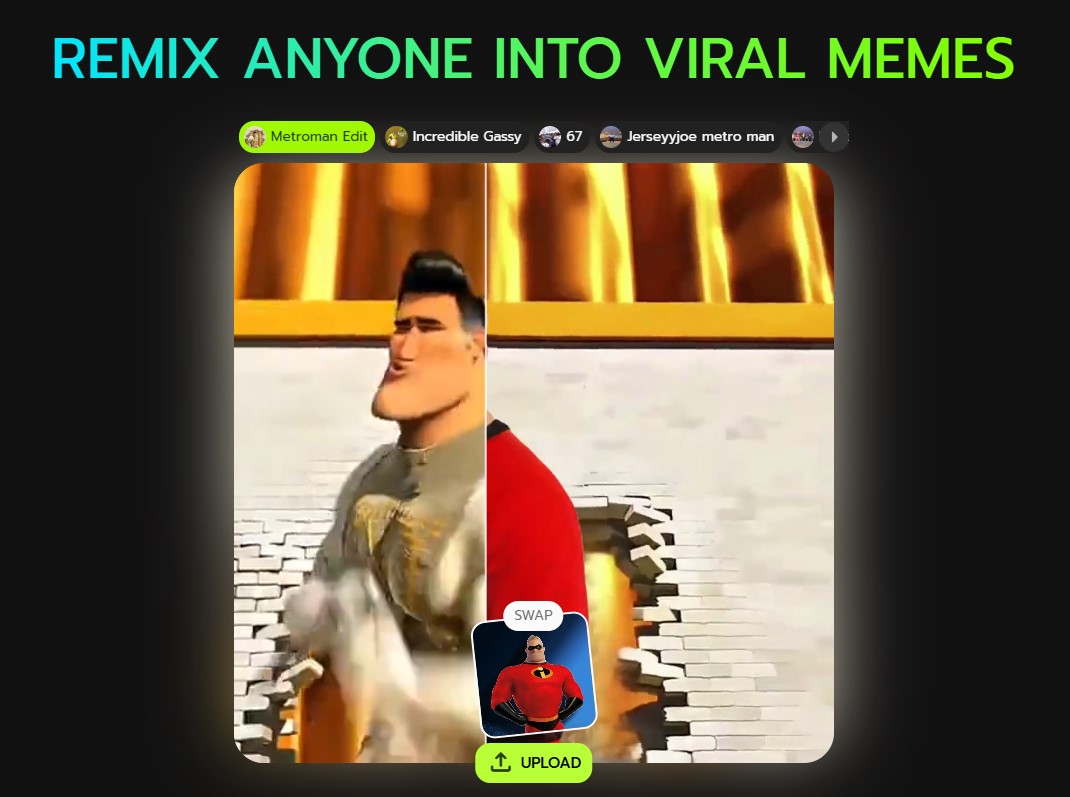
Small studios and independent filmmakers can create short films, music videos, and advertisements using animated characters without a large budget. Viggle AI is making visual storytelling affordable. Check their official TikTok account with shorts made thanks to Viggle AI.
Viggle AI offers a bunch of various features that can be divided into 2 categories – video/games and cinema/animation production.
| Videos/Games | Cinema/Animation Production |
| Prototyping character movements for new games | Rapidly creating animatics and pre-visualization sequences |
| Creating diverse, high-quality idle and non-essential animations | Generating cost-effective animated shorts and music videos |
| Empowering user-generated content, like custom emotes | Animating digital doubles and virtual characters for special effects |
| Pre-visualizing cinematic cutscenes and trailers | Producing dynamic, attention-grabbing digital ads and brand content |
How to Use Viggle AI?
Viggle AI is easy and nearly “magical” to use. First, post a still image of your character – this can be a drawing that you made, a game sprite, or even a picture of your dog. Then post a video of someone performing the action you desire. The AI tool handles the rest. A few minutes later, you will have an animated character that seems very close to the live-action person in the video and is no longer motionless.
The following steps conclude a basic tutorial on how to begin with Viggle AI features:
1) Preparation
It is a clear source image that is a starting point. A large, full-body image of one character on a white background is the most effective. The more the image is clear, the easier the AI to track. In the case of the motion video, a clip of one individual performing an unhindered action is used.
2) Go to the Platform
Either go to the Viggle AI site or enter their Discord server. In Discord, find a creation channel and enter the necessary command.
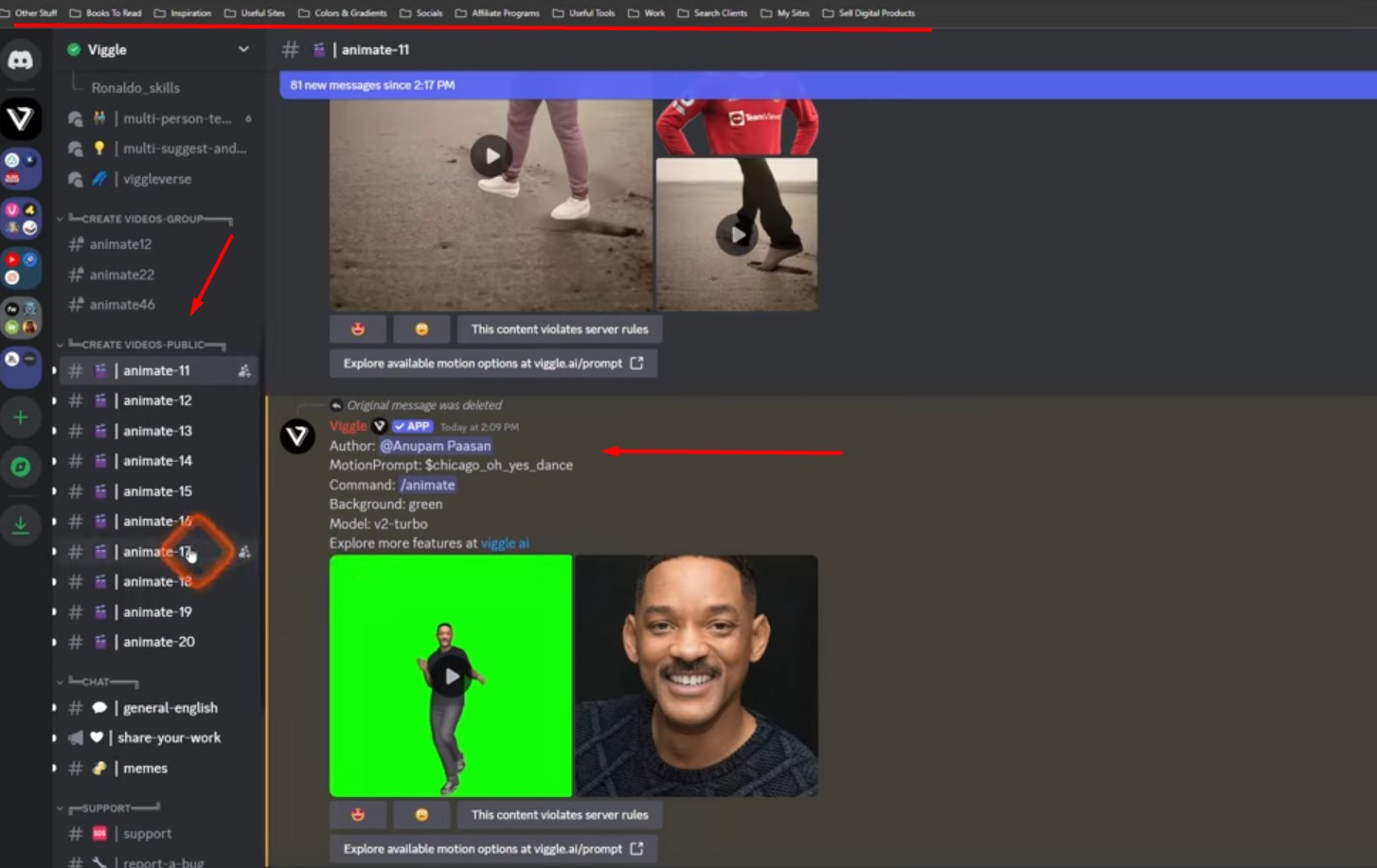
3) Magic Commands
The magic commands for all features – the primary one is /mix. Make your image and video together with it. Viggle AI has a list of all the commands you can use. The format is easy – type /mix, then upload your image/video, add a text prompt, and pick other options.
4) Edit the Output
Once the AI model’s work is done, you will have a video. If it’s not perfect, don’t worry. Adjust pose, size, and other settings using the fine-tuning tools. The possibility to edit and add minor changes is what transforms Viggle AI into a great meme generator into a powerful creative tool.
Also, we recommend checking the video on how to use Viggle AI for making short videos and more complicated video/animation projects.
Viggle AI – Pricing and Plans
At this point, Viggle AI has a tiered pricing scheme. It has a good free plan to enable everybody to use it. The beta was predominantly on Discord, although there is an official web and mobile app with an organized subscription. This is logical since they must sell the large processing capabilities of the JST-1 model.
The free version is not a trial version, but a complete one-stop shop to amateur creators and hobbyists. It allows them to create dozens of quality videos every month. It is excellent for creating videos across social media.
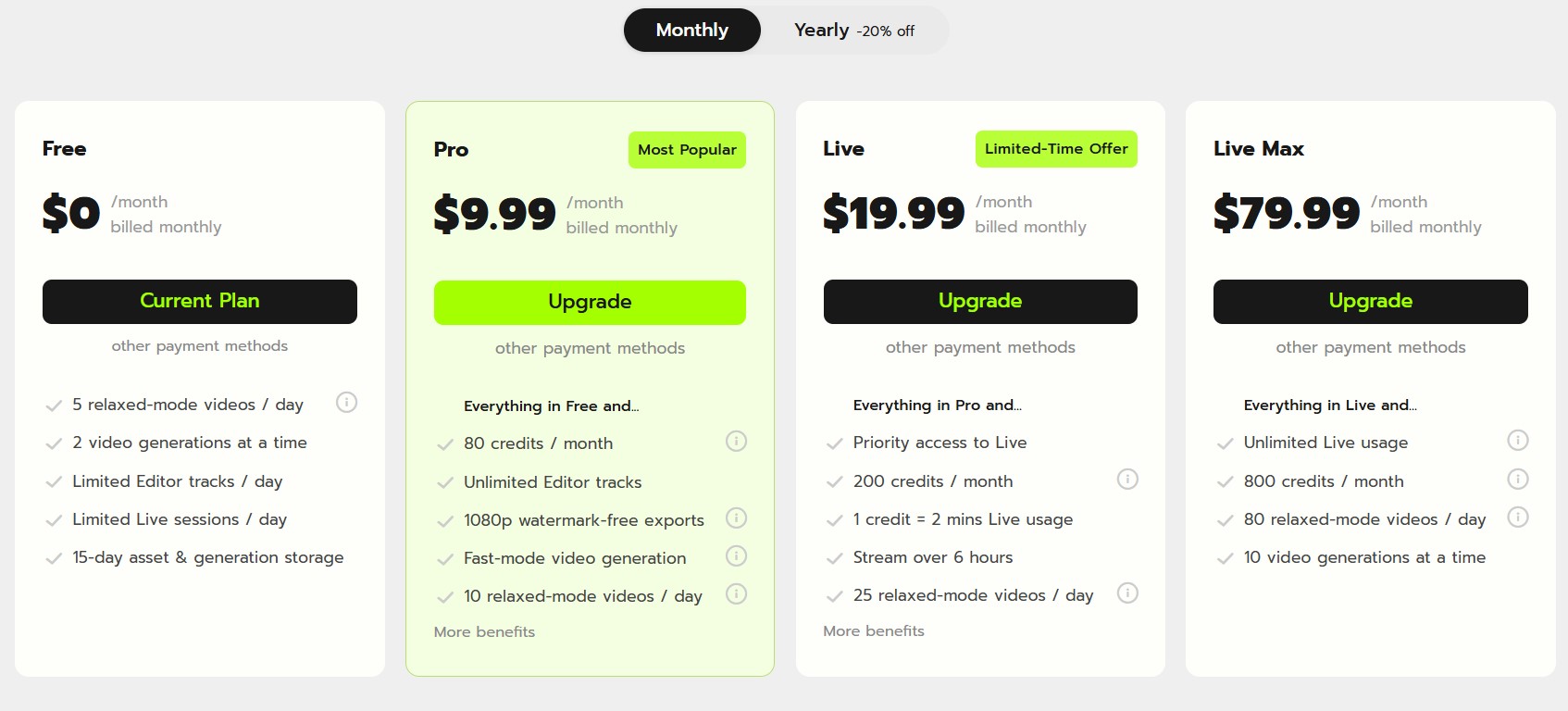
| Plan | Price | Key Features |
| Free | $0 | 5 Relaxed-mode videos/day, 2 simultaneous generations, 720p output with watermark, 15-day storage. |
| Pro | $9.99 | 80 credits/month, Fast-mode generation, 1080p watermark-free exports, Custom multi-person videos, Forever storage. |
| Live | $19.99 | 200 credits/month, Access to Viggle Live, 1080p watermark-free exports, Multi-person videos, and other advanced benefits. |
| Live Max | $79.99 | 800 credits/month, Extensive Live usage, 1080p watermark-free exports, Maximum simultaneous generations. |
Keep in mind that Viggle AI pricing plans offer a different amount of credits. Credits are used to create watermark-free videos in fast modes or start a livestream. In Mix, Multi, Mic, and Move, 1 credit allows up to 15 seconds of video generation. While a Rap video costs 2 credits.
Viggle AI vs Other Video Generating Tools
Surely, Viggle AI is not alone in the growing AI video space. Its success has spurred a new generation of competitors, each with its own strengths and weaknesses. Let’s compare Viggle AI features with similar tools and services – RunwayML, Kaiber AI, and Pika Labs.
| Service/Tool Name | Primary Use | Key Differences | Price Range |
| Viggle AI | Character Animation, Motion Transfer, Meme Creation | JST-1 physics model, superior motion realism, user-friendly interface | Free – $79.99/month |
| RunwayML | AI Video Generation, Text-to-Video, Inpainting | Broader toolset for video editing, powerful text-to-video capabilities, and professional-grade features | Free – $149/month+ |
| Pika Labs | AI-generated Videos, Image-to-Video, Text-to-Video | Focus on artistic, stylistic video generation, strong community on Discord, and constant innovation | Free – $50/month |
| Kaiber AI | Music Video & Visualizer Generation, Image-to-Video | Strong focus on music and visuals, unique aesthetic styles, and creative effects | $5 – $60/month |
As you can see, various tools offer different services and features. Make sure to
Use the Viggle AI Meme App on Mobile
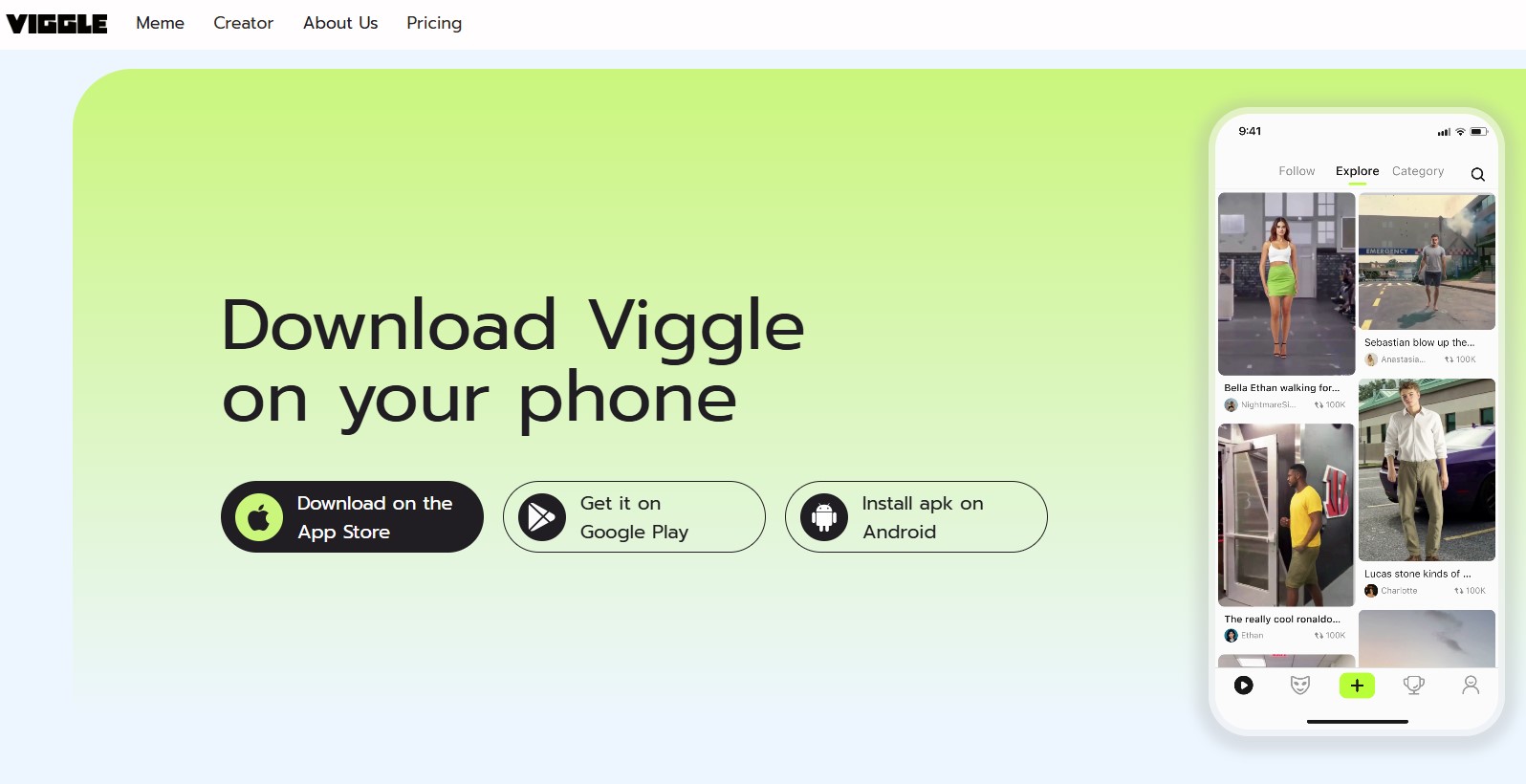
There is an official mobile application with the same features from the Viggle AI team. You can download the free Viggle AI app on the App Store and Google Play Store. The download links are available on the official website.
Designed for speed and instant gratification, the app is a meme-making powerhouse. It streamlines the motion transfer process, focusing on a few key, user-friendly features.
The mobile app is packed with thousands of templates – from viral TikTok dances to iconic movie scenes – that you can instantly apply to your own photos. The process is boiled down to its bare essence: select a template, upload a photo, and hit generate.
These are the benefits of the Viggle AI mobile app:
- Template library for making TikTok shorts on the go.
- Instant generation for paid plans – quick renders on up-to-date mobile devices.
- Intuitive interface with improved user experience. It is designed for a single-purpose use.
This mobile-first approach is a brilliant strategy. It allows users to effortlessly participate in viral challenges and create content made on mobile and for mobile uploads on TikTok.
FAQ
Is Viggle AI safe?
Viggle AI’s official privacy policy states that it does not share user data with third parties. Uploaded assets are used for video generation and not stored long-term. However, as with any AI service, users should be mindful of the data they upload and review the most current privacy policy for any updates.
Is Viggle AI free?
Viggle AI offers a free plan with basic features and daily video generation limits. It also provides several paid subscription tiers for users who require more extensive access, faster processing, and additional professional features.
Can I use Viggle AI on mobile?
Yes, Viggle AI has a dedicated mobile app for both Android and iOS, designed for quick and easy meme and video creation. The app features a wide range of templates and is optimized for social media sharing.
How to make awesome TikTok videos with Viggle AI?
To make awesome videos, use high-quality, full-body images of your character on a clean background. For the motion video, use a clear, well-lit clip of a single person. Experiment with the fine-tuning options. And don’t be afraid to try different prompts and motions. The key is to start with good source material and have fun with the process.
Conclusion
Viggle AI tool helps to generate memes or create full-fledged 3D animated characters without motion capture software. MallorySoft definitely recommends this tool since it has a free tier and affordable plans to try whether you enjoy the features or not. Viggle AI offers an ultimate and cost-effective 3D animation/cinema production service that can cover many tasks, both for beginners and experts. Try it now and leave your feedback by sharing this post across social media.




+ There are no comments
Add yours