

Why Does My Phone Say SOS – The Most Possible Scenario
Recently, my friend was hiking through a misty forest trail, iPhone 16 in hand, snapping pics of dew-kissed ferns. Suddenly, the signal bars vanish. Her screen flashed “SOS only.” She panicked – is it a glitch? A “prank” from the woods? Or worse – real trouble with her phone? That tiny three-letter alert hit her like a gut punch in the middle of nowhere. It’s happened to her twice, then too: once in a subway tunnel during rush hour, another time on a cross-country road trip when towers seemed to mock me from afar. If you were wondering, “Why does my phone say SOS?”, then you are not alone, and this guide will be useful for you.
This post dives deep into the “why” behind your phone’s SOS mode. We’ll unpack its roots, the sneaky culprits, quick fixes that actually work, and a glimpse at what’s next.
Decoding the SOS Signal on Your iPhone – From Morse Code to Mobile Mayday
SOS on your phones is not a coinage of a modern Silicon Valley concept. It can be traced back to 1906 when German engineers decided to use the three short, three long, three short dots and dashes pattern, as it was easy to use in Morse code. It is not an abbreviation of Save Our Souls. It is a mere emergency signal, which cuts through radio noise. A hundred years later, it is in our phones.
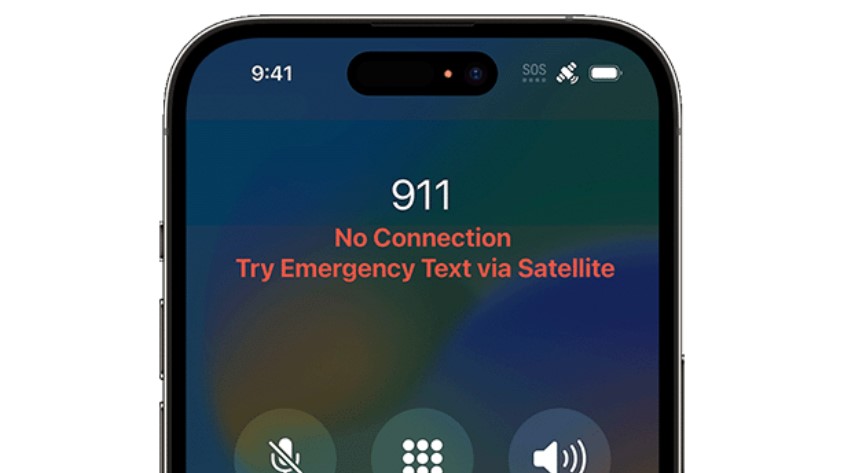
In 2022, Apple introduced a new feature to the iPhone 14 – the satellite-powered SOS signal. It enables you to send a text to satellites in areas where there are no cell towers. It is one of the greatest ways to check and share your iPhone’s location history.
Google also launched Android satellite features in collaboration with Garmin.
The SOS mode is not a bug in modern smartphones. It is an attribute that began with maritime beacons and is now a common practice in day-to-day life.
As an example, in February 2024, an AT&T outage displayed SOS screens on thousands of phones, which resulted in viral memes and FCC investigations.
Equally, a Verizon issue last summer had rural users complaining about false signals. These are not accidents, but they demonstrate that even big networks are not without loopholes. SOS fills those gaps and provides a lifeline.
How to Find the SOS Mode on Your Phone?
In the current phones, the SOS mode is activated when the phone has lost the network of your carrier. The positive thing is that you can still dial emergency services, although the signal may be from a different provider tower.
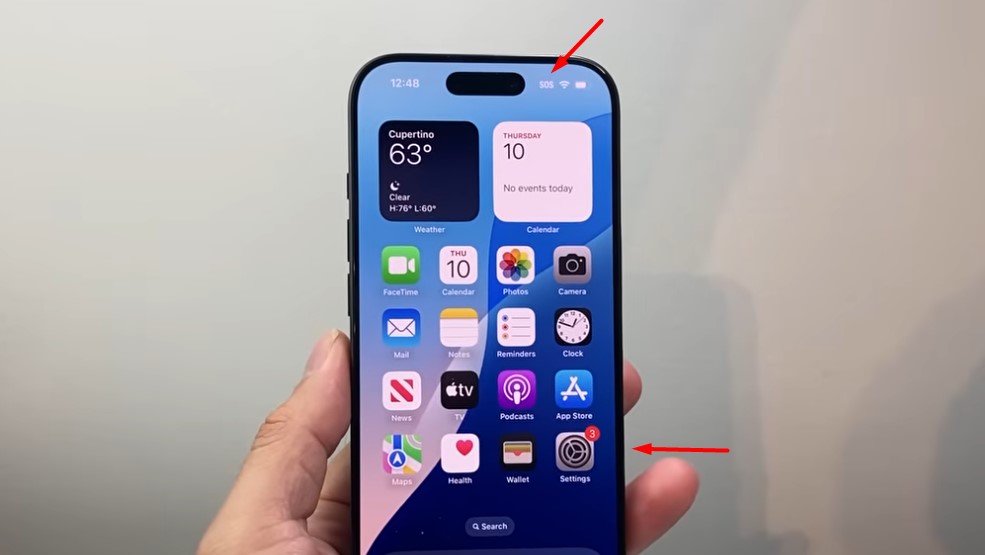
On the iPhones, the bar displays SOS or SOS only in white. On Android phones, there is a corner display of Emergency calls only. You are not able to send texts or use data. It is only possible to call emergency services.
The distinction lies in the fact that the EU laws and US laws mandate all smartphones to connect to the emergency services even when out of coverage.
But what causes it to start, so you have to look for the guides to understand why your phone say SOS? Let’s look deeper.
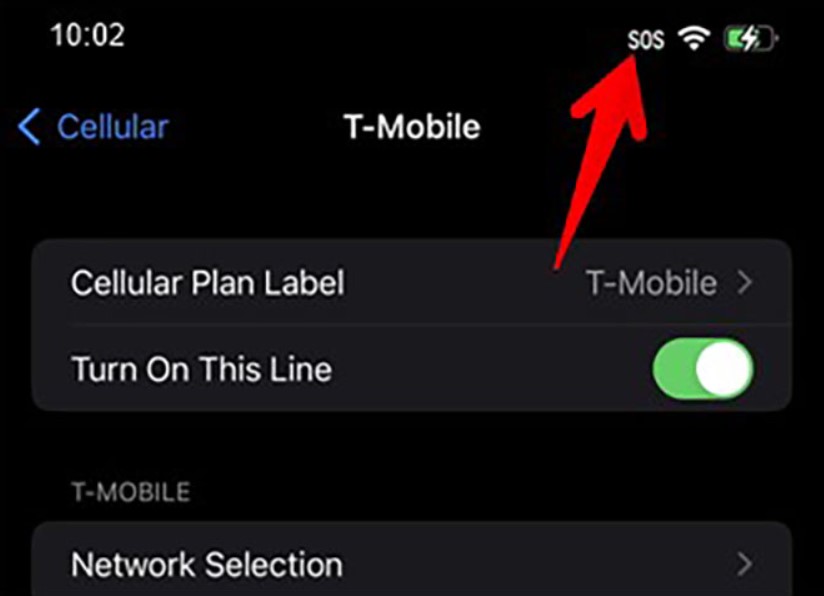
Why Does My Phone Say SOS – Reasons
That dreaded alert doesn’t strike at random. It’s a symptom of deeper woes, often mundane yet maddening. From my chats with carrier techs and Reddit threads thick with frustration, patterns emerge. Coverage black holes top the list, but sneaky hardware hitches lurk too.
First off, geography plays dirty. Venture into dead zones – think basements, elevators, or those “boonies” where cell towers are as rare as honest politicians. Your phone hunts for a signal but finds zilch from your carrier. SOS kicks in, polite as a butler offering tea in a storm.
Outages amplify this. A single fiber cut or software snafu at the provider’s end, and poof—millions in limbo.
Then there’s the SIM card saga. That tiny chip is your phone’s passport to the network. If it’s bent, dusty, or just plain expired, connections crumble.
Software glitches join the fray too – outdated iOS or Android builds that bungle handshakes with towers.
Roaming abroad without the right plan, or an eSIM that’s half-activated, leaves you stranded. Also, don’t get me started on hardware hermits: a wonky antenna from a drop or water sip can mute signals outright.
This is the list of all reasons explaining the issue “Why does my phone say “SOS”?” on your iPhone:
- Signal Scarcity. Remote spots or urban canyons where towers can’t peek through. Blame physics, not your device.
- SIM Shenanigans. Damaged cards or poor seating block authentication. A $10 replacement often seals the deal.
- Outage Overlords. Provider-wide meltdowns, like that 2024 T-Mobile tumble that left coasts in SOS purgatory.
- Software Slip-Ups. Buggy updates or cache clogs that confuse network protocols.
- Hardware Hiccups. Faulty modems or loose internals from rough handling.
- Plan Pitfalls. Unpaid bills or expired contracts that carriers enforce with a digital cold shoulder.
Also, we recommend checking the video tutorial explaining the major reasons behind this problem, along with a popular solution on iPhones.
Banishing SOS from Your Phone’s Screen – Popular Solutions
Alright, you’ve got that blinking SOS screen. What’s your move? Start simple. We’ve rescued devices from this limbo more times than we’d like, and 80% bow to basics. No genius required – just patience and a steady thumb.
iPhone SOS Solution
For iPhone wielders, Apple’s official forum is the first source where to look for help. Also, you can try to do such steps:
- Toggle Airplane Mode. Swipe down from the top-right for Control Center, flick the plane icon on for 15 seconds, then off. This forces a network reset without the full reboot drama. No dice? Power cycle. Hold the side button and volume down till the slider appears. Slide to shut, wait 30 seconds, fire it up.
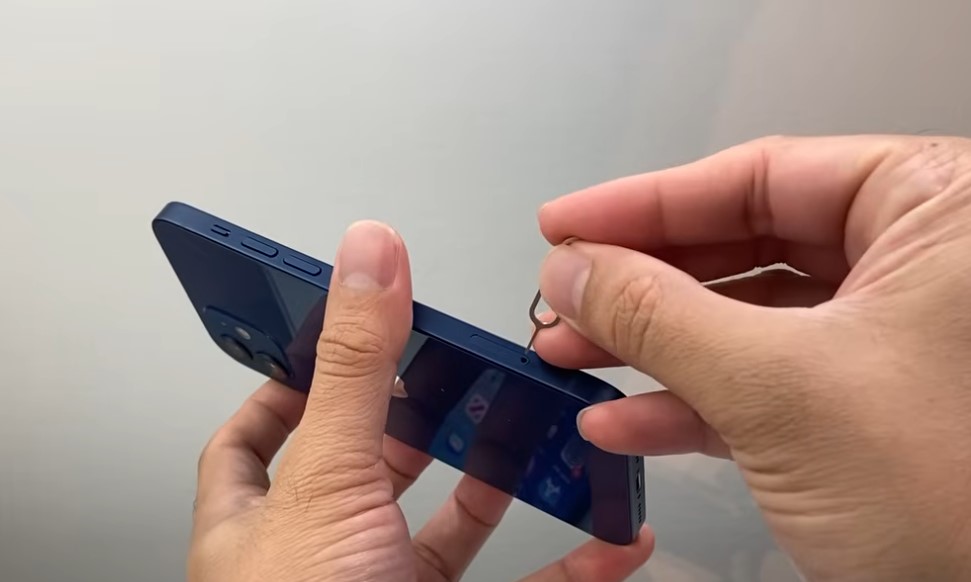
- SIM check next. Eject that tray with a paperclip, inspect for bends or gunk, and reseat it snugly. If it’s an eSIM, hop to Settings > Cellular > Add eSIM and verify activation.
- Still stuck? Reset network settings: Settings > General > Transfer or Reset iPhone > Reset > Reset Network Settings. Warning – this option erases Wi-Fi passwords, so make sure to save them in notes before the reset.
Android SOS Solution
Android phone solutions against “SOS” are a tad wilder, thanks to manufacturer quirks, but the basics are the same as for iPhones:
- Boot to Safe Mode (hold power, long-press “Restart”) to sniff out app interference.
- Clear cache. Settings > Apps > System apps > Storage > Clear cache for network ones.
- Factory reset as a nuclear option – backup first, obviously.
Common Troubleshooting Tips
Here is a quick breakdown of the most common troubleshooting options for the “SOS” stuck on your phone:
- Quick Reset Ritual – Airplane on/off, then restart. Covers 70% of glitches in under a minute.
- SIM Swap Dance – Clean and reinsert. Test in another phone if handy—borrowed buddy’s works.
- Settings Purge – Reset network prefs. Follow with a carrier update check in Settings > General > About.
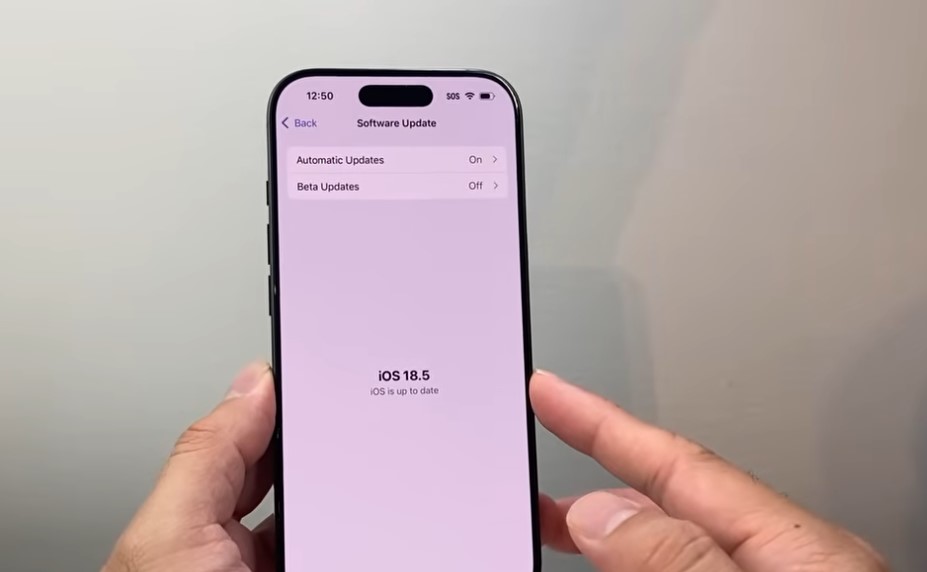
- Software Sync – Update iOS via Wi-Fi. Bugs flee with patches.
- Carrier Call-Out – Dial ##4636## (That’s for Android only. For iPhone, hit up the support chat).
A professional tip – Wi-Fi calling bridges gaps. Enable it in settings, and SOS shrinks to a whisper when hotspots hover. These steps aren’t rocket science. They’re the tech equivalent of deep breaths. Apply them, and watch the bars on your phone’s screen bloom.
Still, if any of these options doesn’t work, make sure to check the local service center or read other solutions offered on Reddit.
Also, it is worth using the following table with the most common steps for Android and iPhone when there is a problem of the SOS mode is turned on.
| Solution Step | iOS (iPhone 14 and above) | Android (Pixel 8+, Samsung S24 and similar) |
| Basic SOS Mode | Yes, emergency calls on any net | Yes, “Emergency only” fallback |
| Satellite Support | Built-in mode that texts to 911 via Globalstar | Emerging via Garmin, two-way messaging |
| Crash Detection | Auto-dials on wrecks/falls | Pixel – yes. Samsung – manual SOS |
| Activation | Hold side + volume; 5-sec countdown | Power button presses (5x default) |
FAQ
Why do I see the SOS on my iPhone?
Your iPhone shows “SOS only” when it can’t connect to your carrier’s network – think dead zones or outages. It still lets emergency calls through other carriers. Toggle Airplane Mode or restart to test. The SOS mode activates in no-service spots, like basements or remote trails, due to weak signals, SIM issues, or carrier glitches.
How to fix the SOS mode’s issue on iPhone?
Restart your iPhone: Hold the side and volume buttons down, slide to power off, wait 30 seconds, and turn on. Or toggle Airplane Mode for 15 seconds. If stuck, reset network settings in General > Reset.
Can I turn off the SOS mode on iPhone?
To disable Emergency SOS features, go to Settings > Emergency SOS. Toggle off “Call with Side Button” and “Auto Call”. This tutorial stops accidental triggers but keeps basic SOS for no-service emergencies.
Why does my phone go into SOS mode randomly?
Random flips often stem from software bugs, outdated iOS, or intermittent interference like buildings blocking towers. Update your software and reset network settings to steady the ship.
What is the SOS number on a mobile phone?
The SOS number is your local emergency line, like 911 in the US or 112 in Europe. In SOS mode, your phone routes calls there automatically, even without carrier service.
Conclusion
Hopefully, now you have the answers to this question “Why does my phone say SOS?” The SOS mode is quite a useful feature. Born from beeps in the ether, it shields us in shadows our signals can’t touch. We’ve traced its triggers – from SIM slips to outage ogres – and armed you with fixes that stick.
Next time it flares, just toggle, restart, and connect. You’ve got this. Tech’s quirks keep us humble, but they also knit us tighter to safety’s thread. Please share this post from the MallorySoft team across your social media. We would like your support in any way possible.







+ There are no comments
Add yours